Convert PNG to WEBP on Mac (Offline)
WebP files are smaller than PNG and JPG at similar quality, which is why websites use them. macOS can open WebP but has no way to save it. Macsential converts PNG to WebP on your Mac, with transparency and a quality slider.
Convert PNG to WEBP in Macsential
- 1
Open Convert Images in Macsential's sidebar, or select the files in Finder and choose Quick Actions ▸ Convert Images….
- 2
Drop the files on the page, or click Choose Files…. You can add as many as you like.
- 3
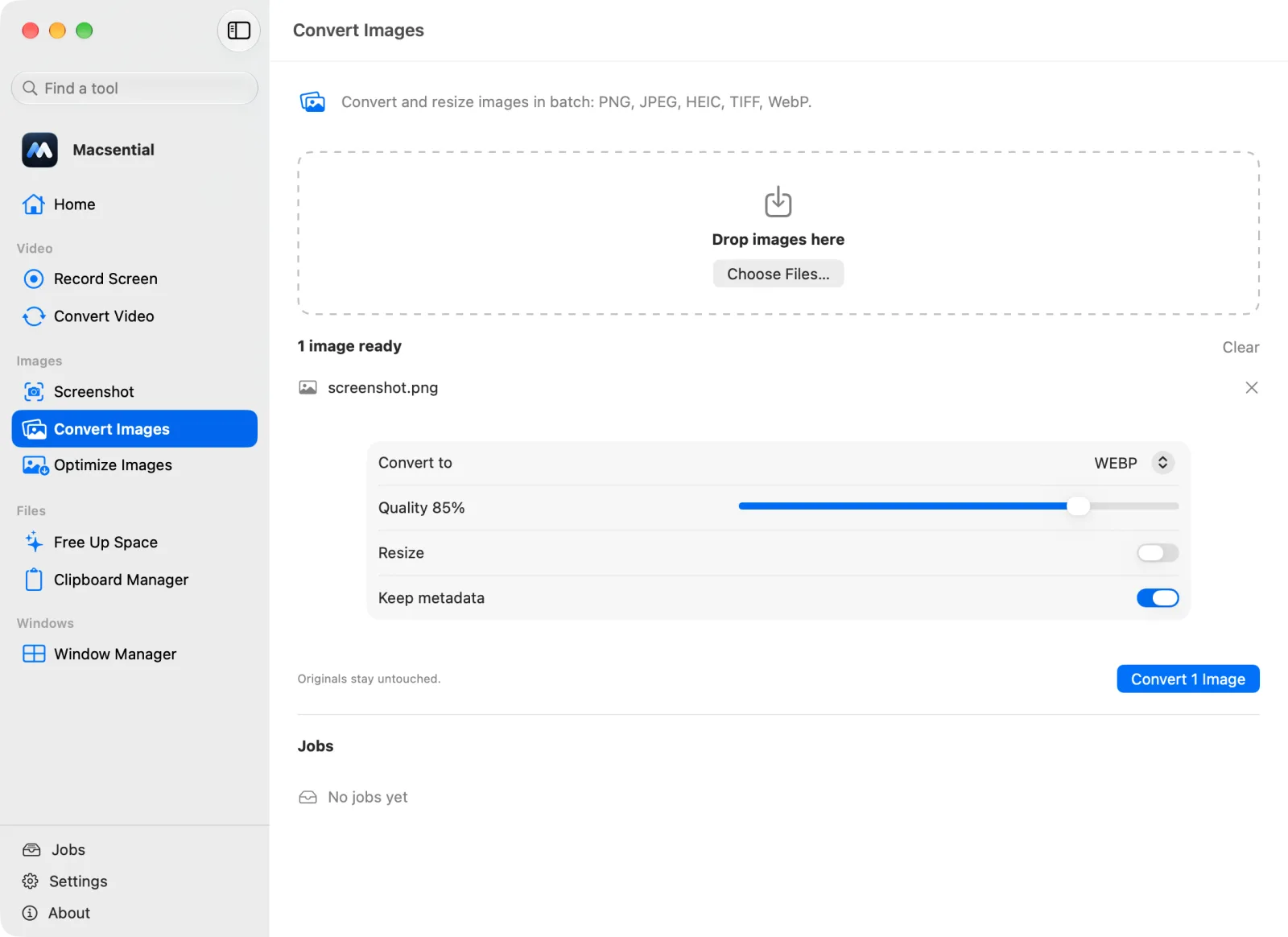
Set Convert to to WebP. Leave Quality at 85% or move the slider; higher is sharper and bigger. Turn Resize on only if you want smaller dimensions, and leave Keep metadata on to keep the camera, date and location data.
- 4
Click Convert. The .webp files are saved next to the originals, which aren't changed.
In our test
We converted a 531 KB Retina screenshot PNG to WebP at quality 85 %, and a small half-transparent PNG to check transparency.
| Sample | 2560 × 1440 PNG screenshot of the macsential.com home page (Retina, 2×) |
|---|---|
| Input | 531 KB, 2560 × 1440 px |
| Output | 94 KB (−82 %), 2560 × 1440 px |
| Settings | WEBP, quality 85 %, keep metadata on |
| Time | 0.20 s |
| Transparency | Transparent pixels stayed transparent (separate test image) |
| Mac | Apple M1 Pro MacBook Pro, macOS 27.0.1 |
One sample file, measured with Macsential's converter on our Mac. Your files and Mac will give different numbers. How we measure
When PNG to WebP makes sense
Convert images for a website or web app, where smaller files load faster. Keep the PNG as your master copy, because some desktop apps and upload forms still don't take WebP.
Quality, size and transparency
Macsential writes lossy WebP at the quality you choose. In our test the screenshot went from 531 KB to 94 KB (−82 %) at quality 85 %, and transparent pixels stayed transparent. Raise the quality for screenshots with small text if you see blurring.
Metadata
With Keep metadata on, the PNG's metadata is copied into the WebP; our screenshot sample had none to check. For images on a public website, consider turning it off so no camera or location data is published.
Batches
Drop a folder of PNGs and they're all converted with the same quality, in parallel. The WebP encoder is Google's libwebp, built into Macsential, so there's nothing else to install.
With what's built into macOS
There isn't a built-in way. Preview opens WebP files but its Export menu offers HEIC, JPEG, JPEG-2000, OpenEXR, PDF, PNG and TIFF, not WebP. Finder's Convert Image offers JPEG, PNG and HEIF, and the sips command lists WebP as a format it can read but not write.
Where it falls short
- Without an app, the usual route is installing Google's
cwebpcommand-line tool, for example with Homebrew, and converting each file in Terminal. - Online converters work but upload your images to someone else's server.
Related conversions
- WEBP to PNG Save web images as lossless PNGs for editing, keeping transparent backgrounds.
- PNG to JPG Make screenshots and graphics small enough to email or upload, with control over quality.
- WEBP to JPG Turn images saved from the web into JPGs that every app and upload form accepts.
- JPG to PNG Get a PNG copy of a photo for editing or for apps that require PNG, losing nothing further.
Questions
Can a Mac convert PNG to WebP without extra software?
No. macOS can open WebP, but Preview, Finder's Convert Image and the sips command can't save it. You need an app with its own WebP encoder, such as Macsential, or Google's cwebp command-line tool.
Why doesn't Preview offer WebP when I export?
Preview's export formats are HEIC, JPEG, JPEG-2000, OpenEXR, PDF, PNG and TIFF. macOS reads WebP but doesn't include a WebP encoder.
Does WebP keep transparency?
Yes. In our test, transparent pixels stayed transparent after converting with Macsential.
How much smaller is WebP than PNG?
It depends on the image. In our test a 531 KB screenshot became 94 KB at quality 85 %.
Does Safari show WebP images?
Yes. Safari added WebP support in version 14, which came with macOS Big Sur.
Last updated